I'm an Event Administrator, how can I set up Attendee Matchmaking Work in the Event App?
Please note, the Advanced Networking Power-Up is required to use this feature.
Attendee Matchmaking in PheedLoop helps boost networking by connecting attendees with similar interests. Attendees complete a survey, and based on their responses, the system intelligently matches them with others who share common traits or goals, making meaningful connections easier and more organic.
Creating a Matchmaking Survey
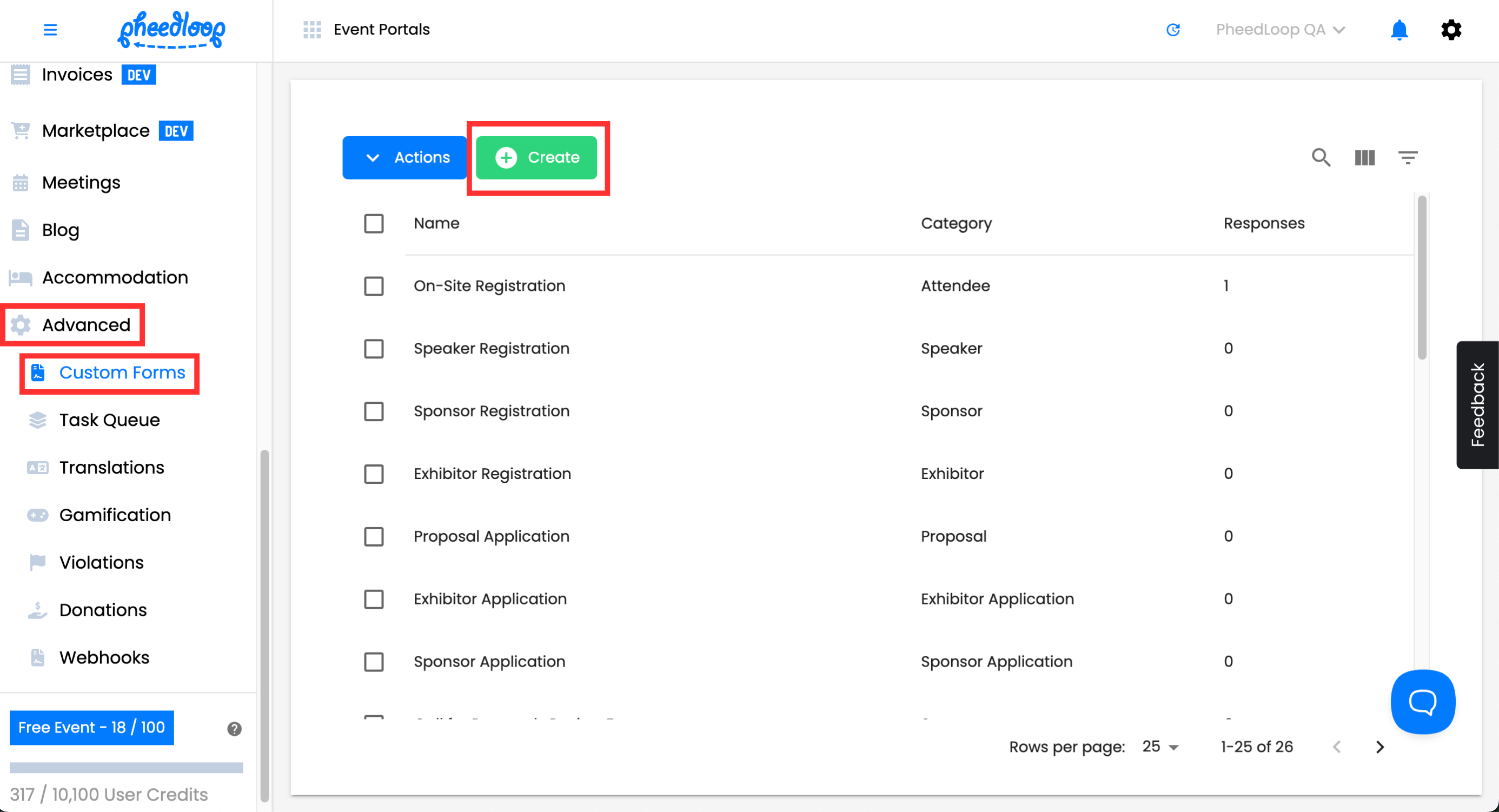
- From the Event Dashboard, navigate to Advanced > Custom Forms
-
Above the custom forms table, select Create
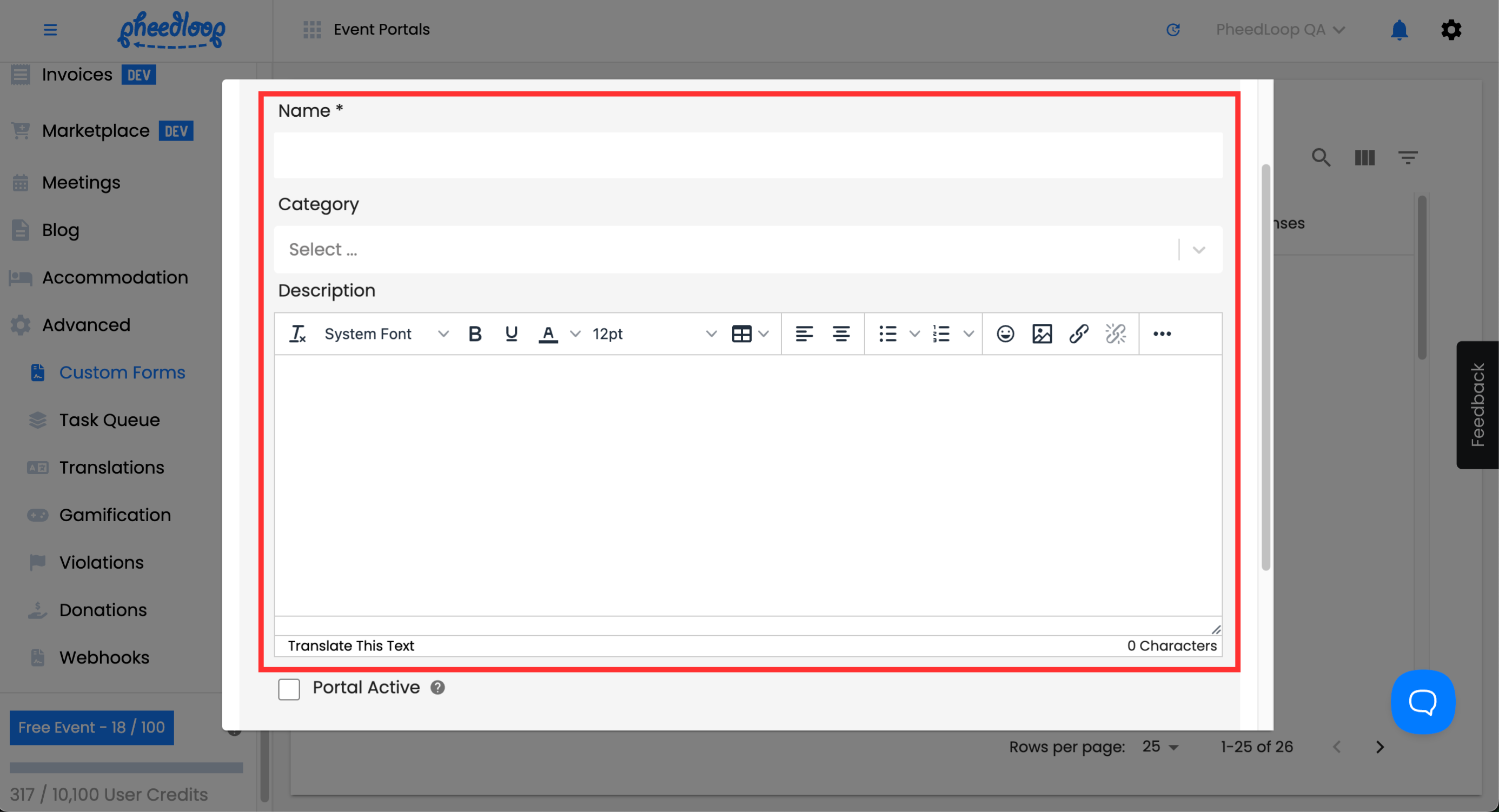
- Under the Name field, enter the name for your survey
- Under the Category field, select Matchmaking Survey
-
Under the Description field, enter any additional information you may wish to share with the attendee
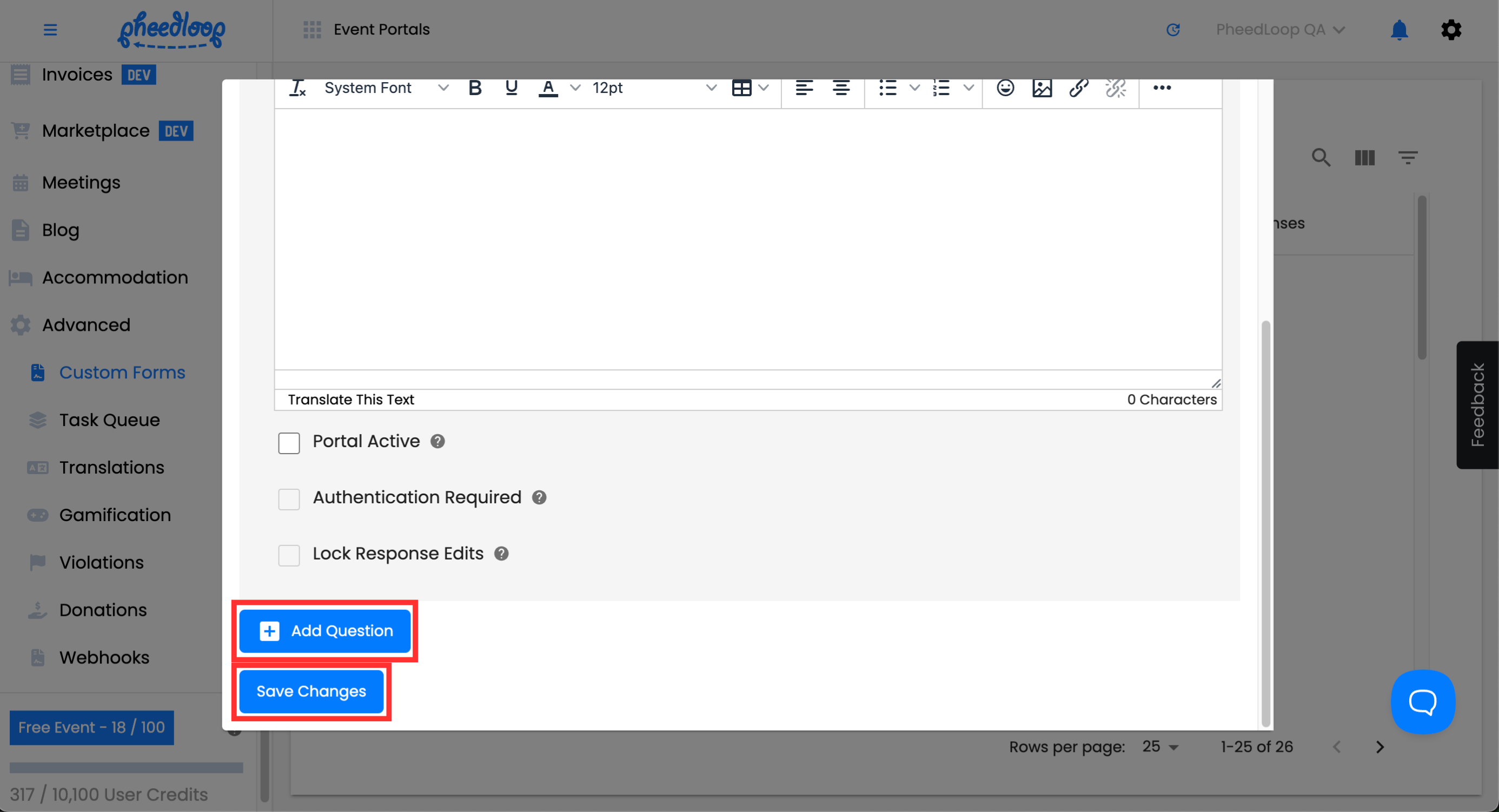
- Select Add Question, choose the question affiliated with the survey
- Once you add a question, you can create multiple questions depending on the accuracy of the matchmaking survey.
-
Select Save Changes
Once you create a Matchmaking Survey form, it automatically activates the matchmaking feature, you do not need to configure this in the Event Dashboard like for other forms.