I'm an Event Administrator, how can I set up pronouns for Speakers?
Event Administrators can assign pronouns to Speakers manually from the Event Dashboard.
- From the Event Dashboard, navigate to Speakers > Speakers
- Select the speaker you wish to edit from the list
- Scroll down to Basic Details
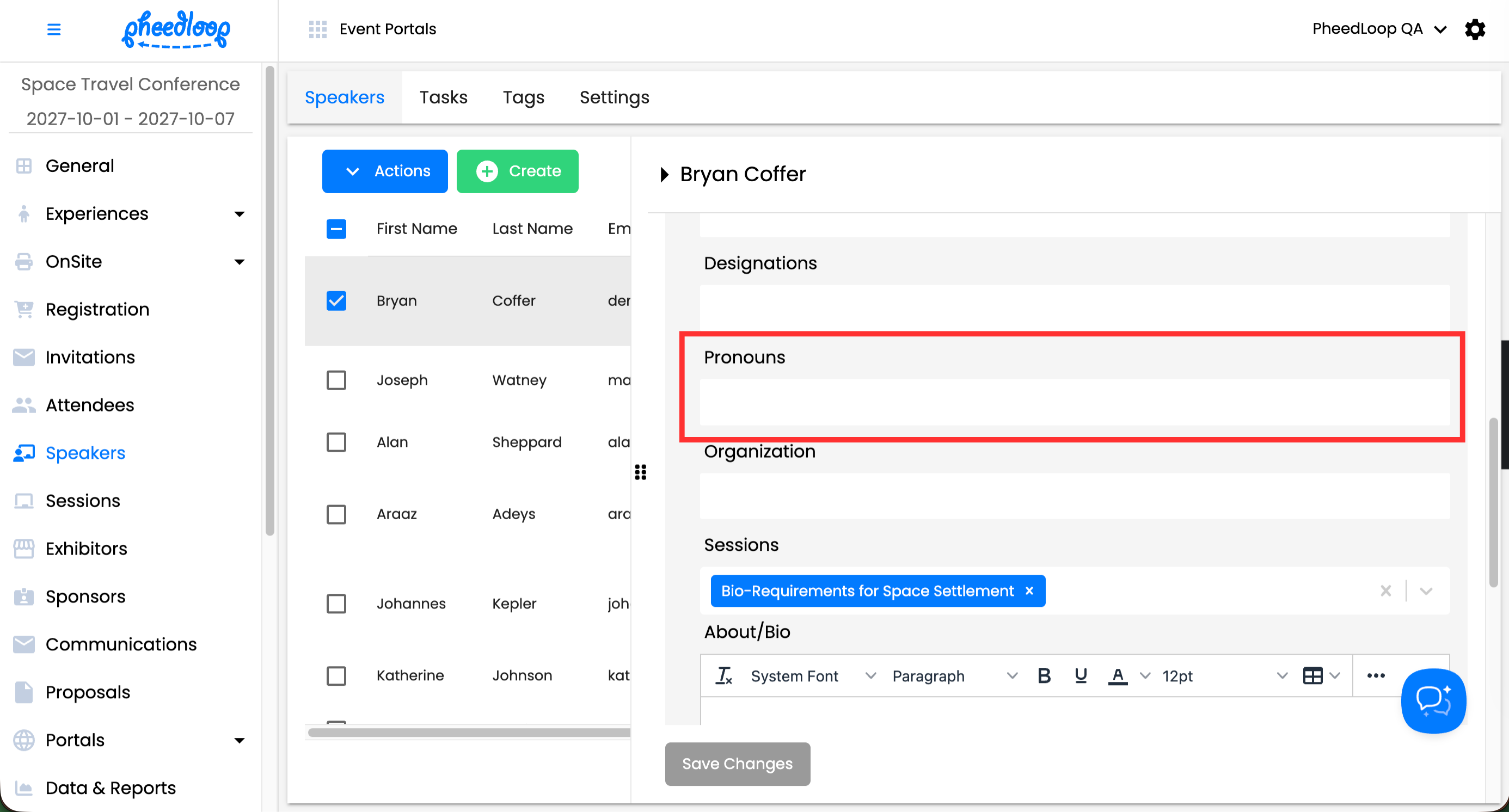
- Under the Pronouns field, enter the pronouns for the Speaker
-
Select Save Changes
Pronouns for speakers can also be bulk assigned into the Event Dashboard. For instructions on how to do this, please review the 2. Importing Speakers in our Adding Speakers and Inviting Them to the Speaker Portal article.
Adding Pronouns to Proposals
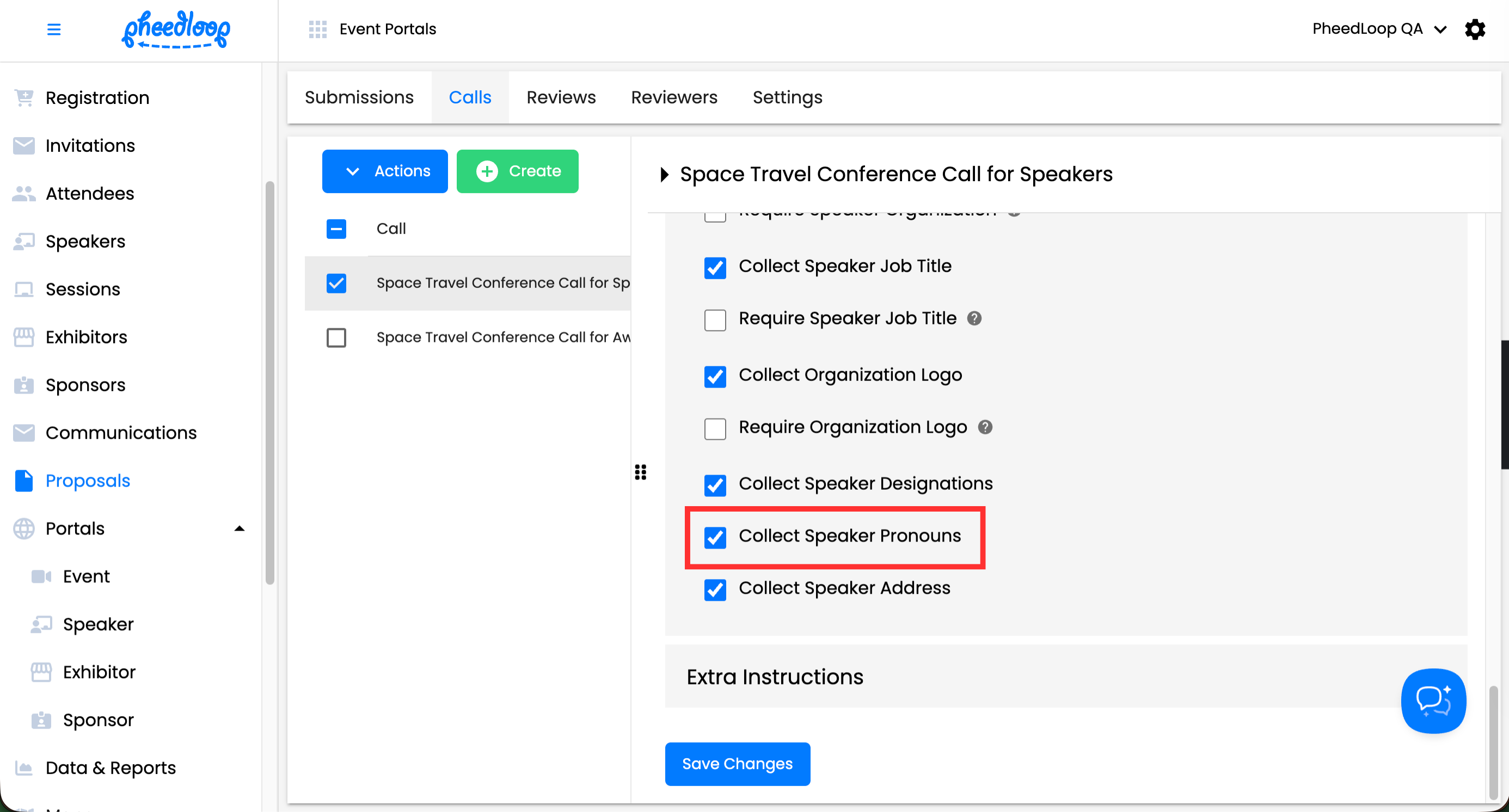
Pronouns can be included in the Proposal Portal for Speakers to fill out.
- From the Event Dashboard, navigate to Proposals > Calls
- Navigate to the Submission tab
- Select Call you wish to edit from the list
- Scroll down to Speaker Settings
- Toggle on the Collect Speaker Pronouns checkbox
-
Select Save Changes