How do I render a Registration Category and accessible to only those with the specific URL/link or passcode?
For a video walkthrough, skip to 1:53 - 2:45 for hiding categories and 3:30 - 4:20 for gating categories behind access codes
Event organizers may have a category of tickets that should only be accessible to select individuals, such as VIP guests or discounted tickets. This article will review how this can be achieved and how you can share access via a specific URL/link. The article will also explain how to set a passcode in a category so that it may still be visible but restricted to those that know the passcode.
If you are looking to restrict access to a specific ticket within one category, please review our How do I make Tickets available to select registrants? article.
Content
Hiding your Category
The first step in this process is hiding your Registration Category so that it is not accessible to registrants who access your Event Website from a public source.
- From the Event Dashboard, navigate to Registration > Categories and select the category you wish to edit from the list

- Under Basic Settings, toggle on the Hidden Checkbox

- Select Save Changes

Sharing your Hidden Category
Now that you have hidden your Category from general registrants, the next step is sharing the access link with your desired individuals.
- From the Event Dashboard, navigate to Registration > Categories and select the category you wish to edit from the list

- Above the Categories table, select Actions > Direct Access Link

The access link will now be visible for you to copy and share with your desired registrants. When this link is accessed, the Category selection step will be skipped and the registrant will automatically begin registration under the associated Category.

Gating Categories Behind Access Codes
Categories can also be rendered visible but locked behind a passcode. This method will make the category visible on the Event Website.

When attendees click on the locked category, they will be met with a password input screen.
To set this from the Event Dashboard:
- From the Event Dashboard, navigate to Registration > Categories
- Select the category you wish to restrict
-
Under the Access Code field, enter the passcode for your category
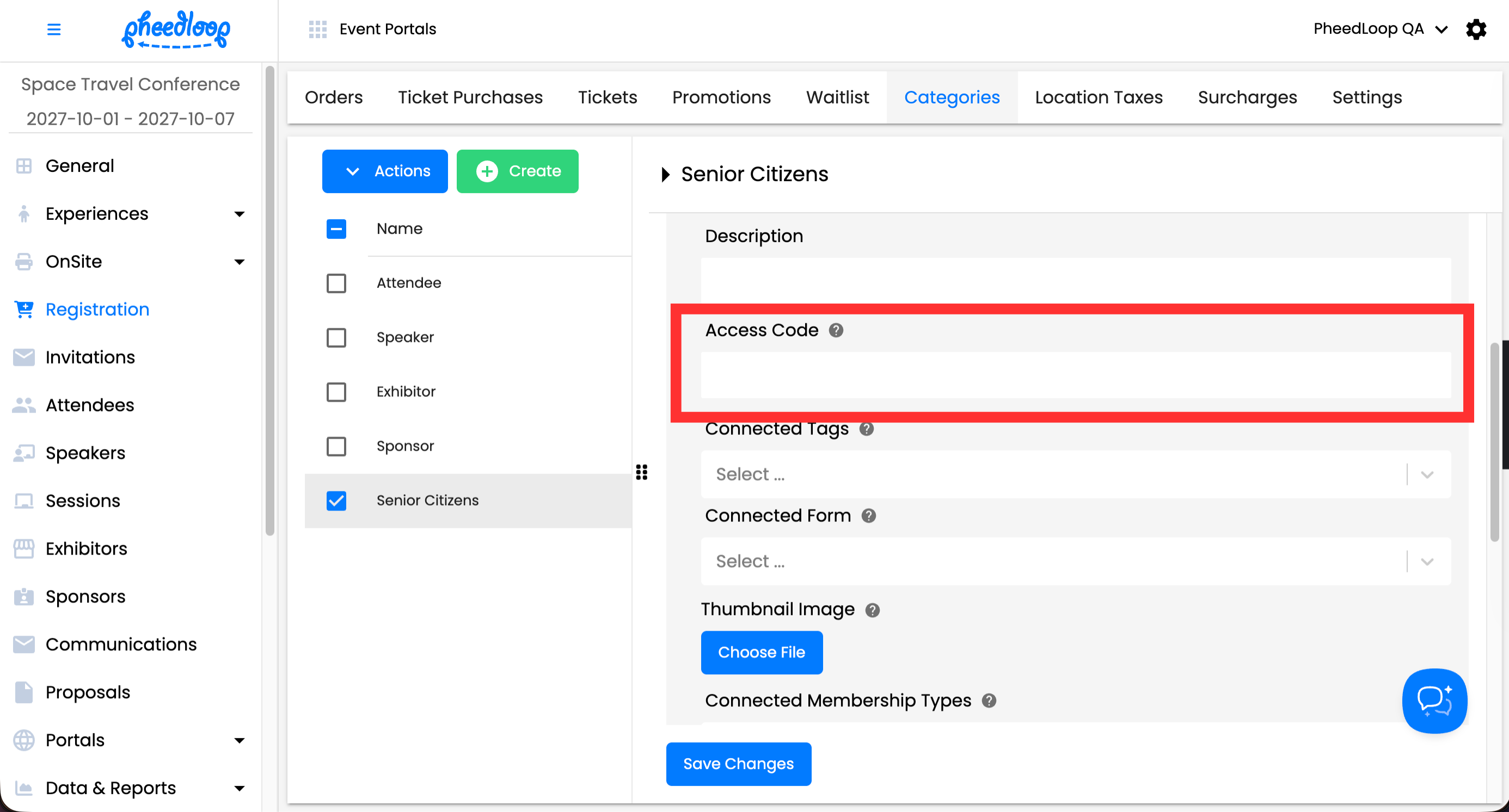
- Select Save Changes
Conclusion
Managing exclusive ticket access in PheedLoop is simple and effective. By hiding a Registration Category and sharing a direct access link, you can ensure that specific ticket types, such as VIP or discounted tickets, are only available to selected individuals. Event Administrators also have the option of restricting their categories behind a password.
This two-step process (hiding the category and sharing the unique link) allows you to control access while maintaining a seamless registration experience for your attendees. By following these steps, event organizers can easily manage private or restricted ticket categories with ease and precision.